Under My Academics, the Degree Pathway is a viewable visualized program enrollment map that provides you with a personalized planning experience of courses to complete each term. Important Note - These plans do not lock you into a specific pathway nor do they register you for courses. They should be used for planning purposes in conversations with your Advisor.
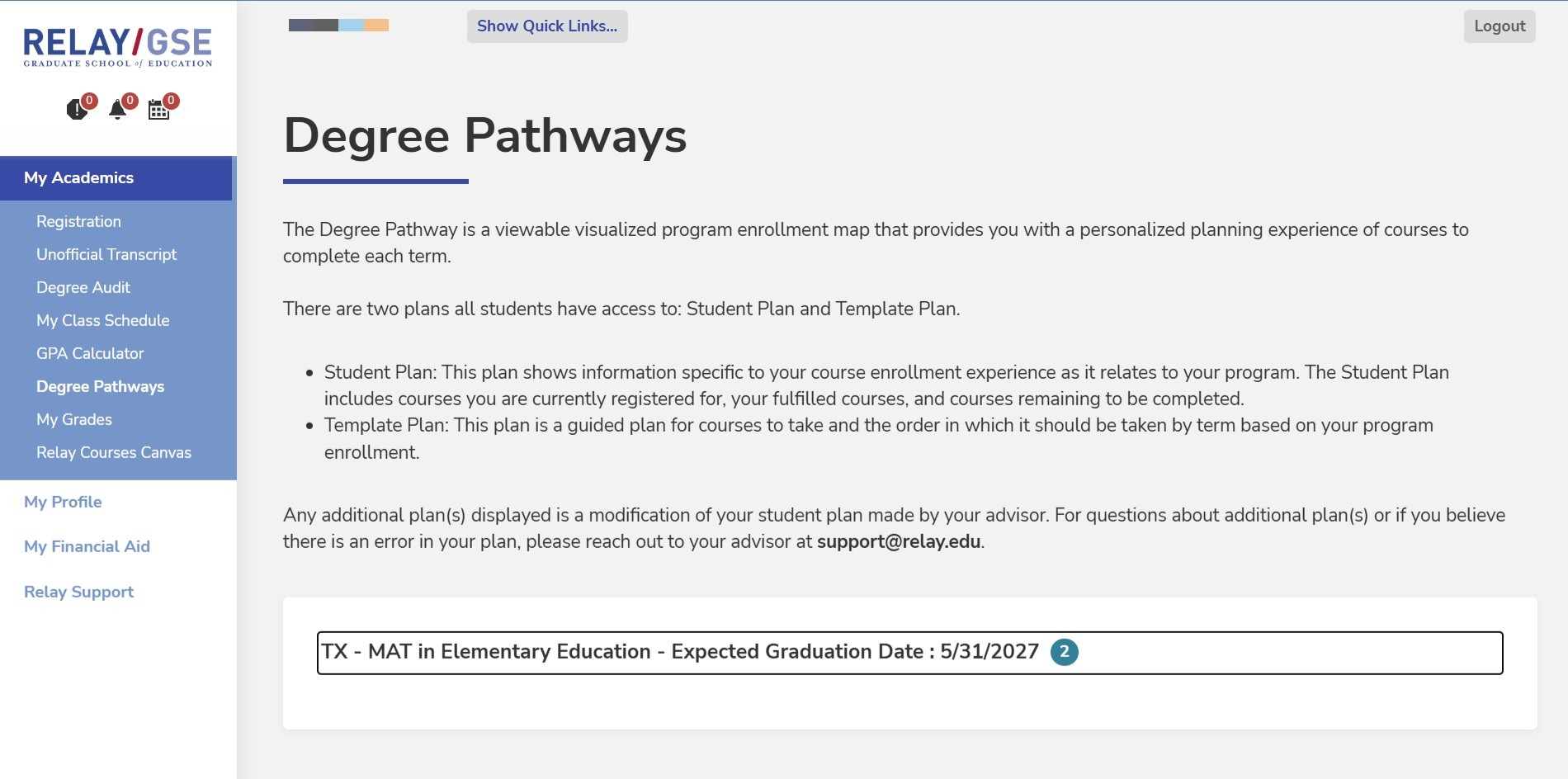
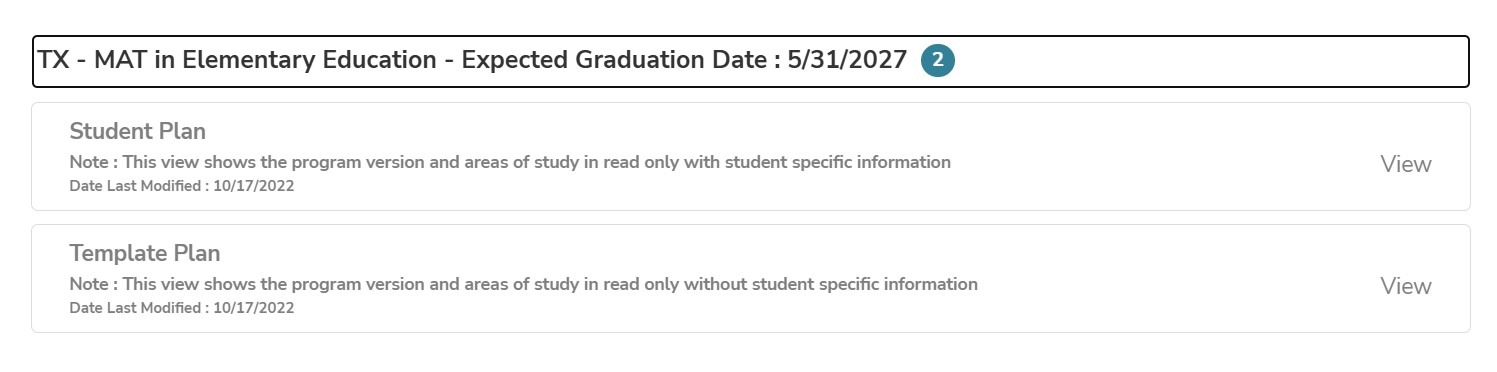
By default, there are two plans all students have access to: Student Plan and Template Plan.
- Student Plan: This plan shows information specific to your course enrollment experience as it relates to your program. The Student Plan includes courses you are currently registered for, your fulfilled courses, and courses remaining to be completed.
- This plan can be edited to show your anticipated course pathway each term.
- Template Plan: This plan is a guided plan for courses to take and the order in which it should be taken by term based on your program enrollment.
- This plan cannot be edited and is the same for all students within the same program.
The Student Plan
The Student Plan includes courses you are currently registered for, your fulfilled courses, and courses remaining to be completed based on your unique program requirements. Here, your personal journey is tracked and future terms can be planned for by utilizing the various tools under the Student Plan. You can:
- Move future courses to different terms
- Create new terms based on your anticipated schedule
- See requisites for courses that may be required before you are able to register
- View the course description after clicking on the course prefix hyperlink
- View the list of Flex courses offered within your program, if available in the pathway, after clicking on the elective pool (EP) hyperlink
If for any reason you lose track of your courses, they can always be found and added back to your plan under Open Courses.
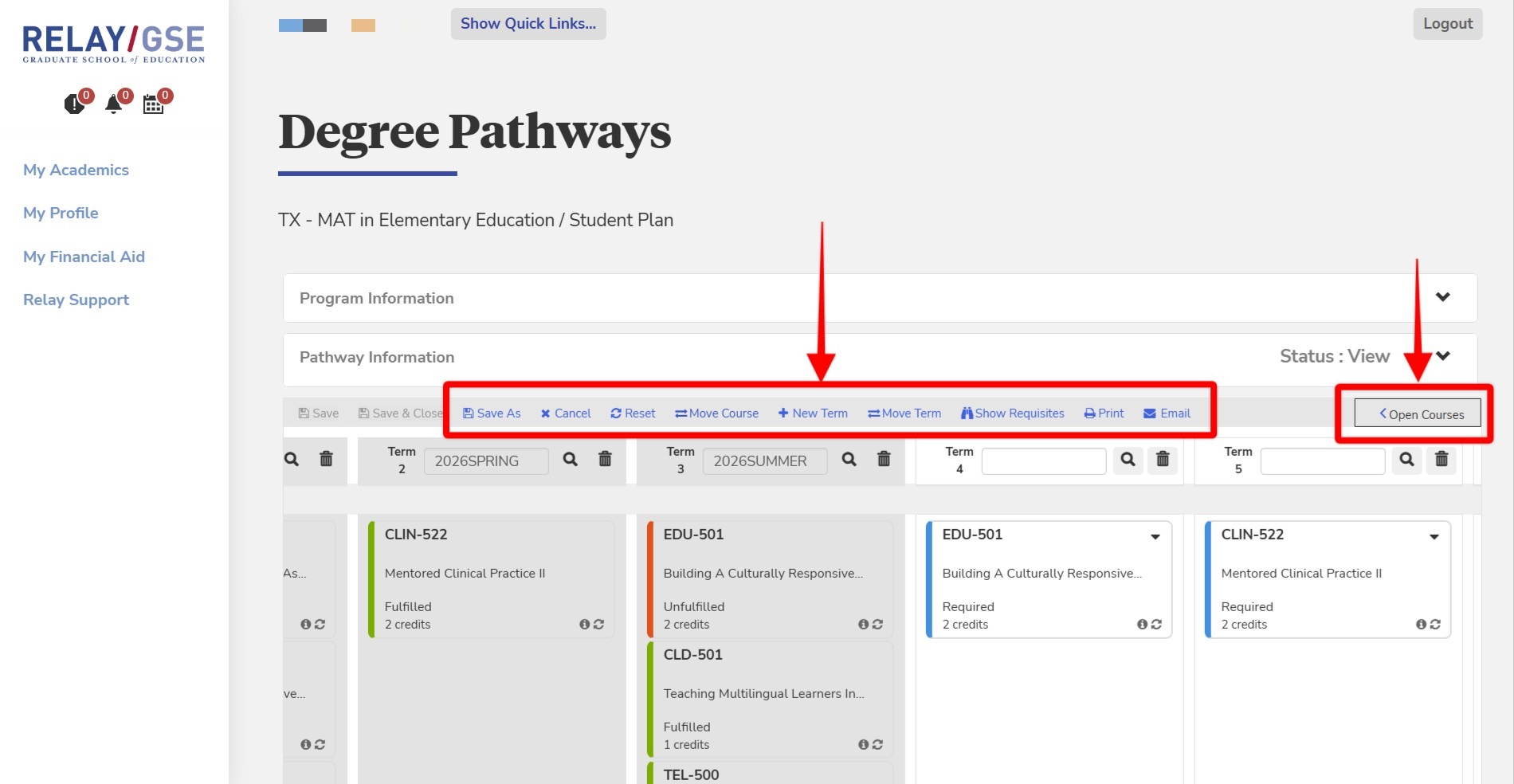
When you are finished making any edits to your pathway, you can save it using the Save As button, which will prompt you for a custom name. After saving, your new pathway plan will appear alongside the Student and Template plans.
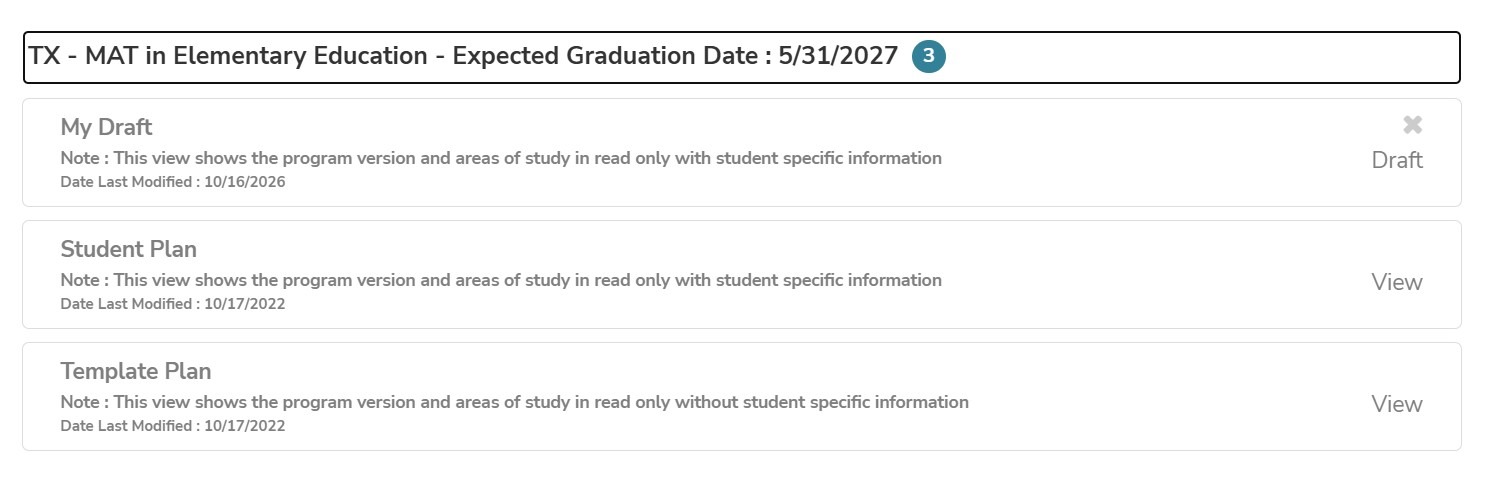
Your Draft Plan
If you re-open your Draft plan, a new option will appear to send your plan for approval. This means that your Advisor will be able to review your proposed path and either approve or reject the plan to ensure that your specific needs are met while earning the necessary credits for your program.
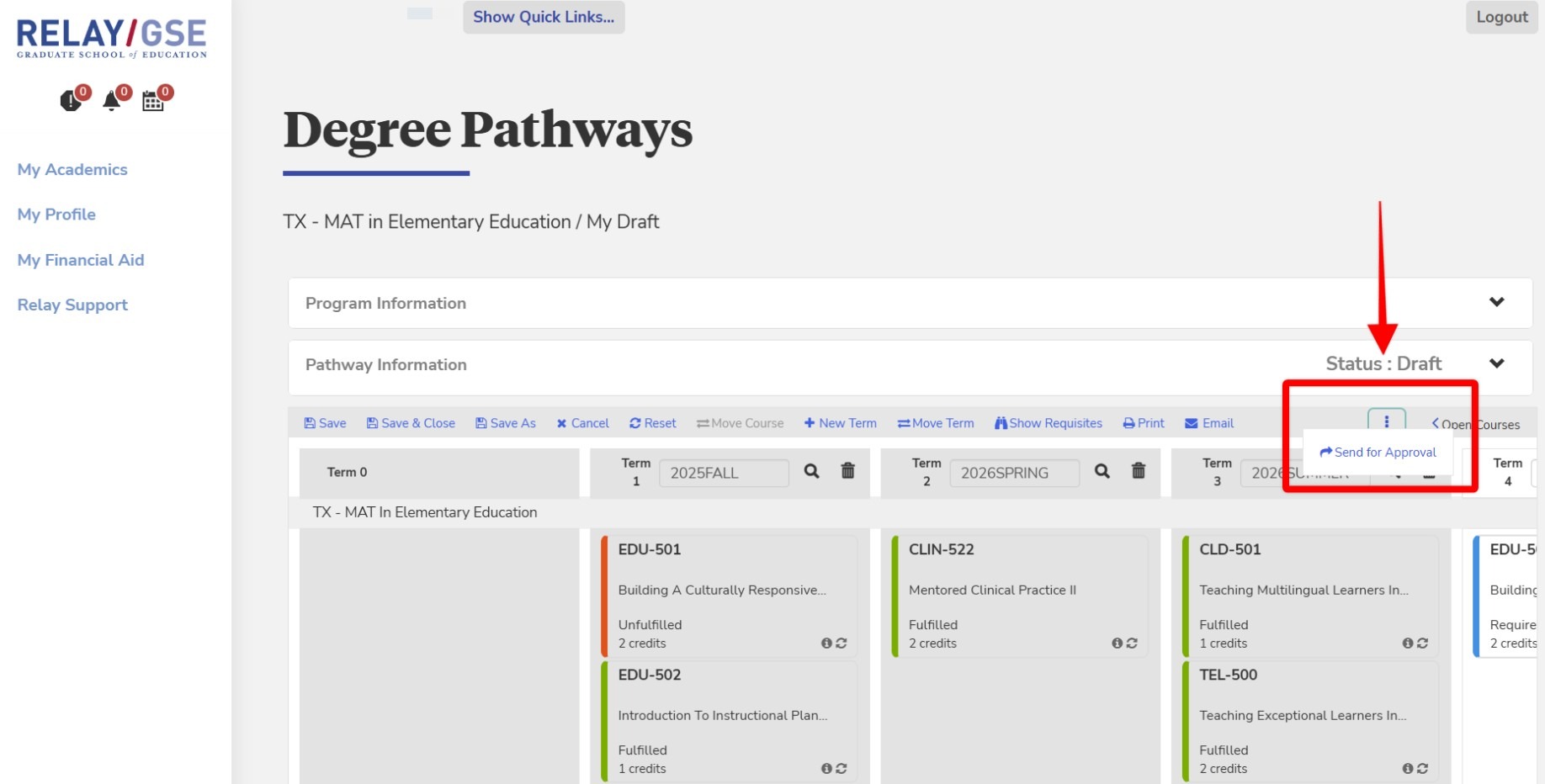
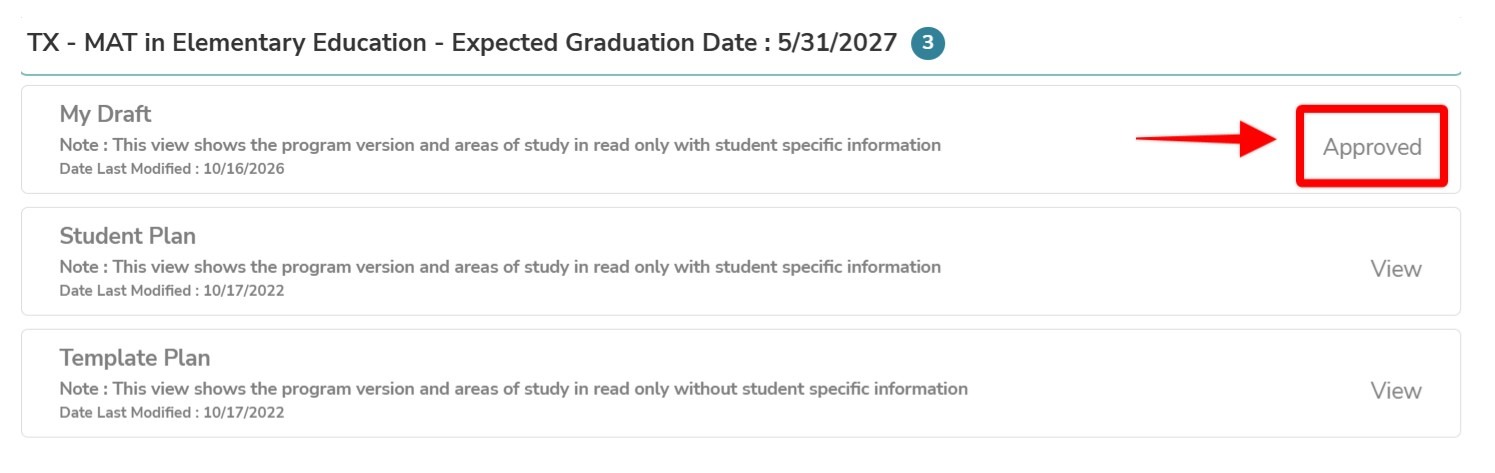
If your plan is approved by your Advisor, you will see the status of your Draft plan updated to Approved. You or your advisor can always create revisions to your plan and re-approve the new plan at any time.